# Alibaba Cloud Go Software Development Kit
[](https://travis-ci.org/aliyun/alibaba-cloud-sdk-go)
[](https://ci.appveyor.com/project/wenzuochao/alibaba-cloud-sdk-go)
[](https://goreportcard.com/report/github.com/aliyun/alibaba-cloud-sdk-go)
[](https://codecov.io/gh/aliyun/alibaba-cloud-sdk-go)
[](https://app.fossa.io/projects/git%2Bgithub.com%2Faliyun%2Falibaba-cloud-sdk-go?ref=badge_shield)
See [中文文档](./README_zh.md)
The Alibaba Cloud Go Software Development Kit (SDK) allows you to access Alibaba Cloud services such as Elastic Compute Service (ECS), Server Load Balancer (SLB), and CloudMonitor. You can access Alibaba Cloud services without the need to handle API related tasks, such as signing and constructing your requests.
This document introduces how to obtain and call Alibaba Cloud Go SDK.
If you have any problem while using Go SDK, please [submit an issue](https://github.com/aliyun/alibaba-cloud-sdk-go/issues/new).
## Online Demo
**[API Explorer](https://api.aliyun.com)** provides the ability to call the cloud product OpenAPI online, and dynamically generate SDK Example code and quick retrieval interface, which can significantly reduce the difficulty of using the cloud API. **It is highly recommended**.
 ## Prerequisites
- To use Alibaba Cloud Go SDK, you must have an Alibaba Cloud account as well as an AccessKey.
The AccessKey is required when initializing `AcsClient`. You can create an AccessKey in the Alibaba Cloud console. For more information, see [Create an AccessKey](https://usercenter.console.aliyun.com/?spm=5176.doc52740.2.3.QKZk8w#/manage/ak).
> **Note:** To increase the security of your account, we recommend that you use the AccessKey of the RAM user to access Alibaba Cloud services.
- To use Alibaba Cloud Go SDK to access the APIs of a product, you must first activate the product on the [Alibaba Cloud console](https://home.console.aliyun.com/?spm=5176.doc52740.2.4.QKZk8w) if required.
## Installation
Use `go get` to install SDK:
```sh
$ go get -u github.com/aliyun/alibaba-cloud-sdk-go/sdk
```
If you have used glide to manage dependence, you can also use glide to install Alibaba Cloud Go SDK:
```powershell
glide get github.com/aliyun/alibaba-cloud-sdk-go
```
## Using
The following code example shows the three main steps to use Alibaba Cloud Go SDK:
1. Create the client.
2. Create an API request and set parameters.
3. Initiate the request and handle exceptions.
```go
package main
import (
"fmt"
"github.com/aliyun/alibaba-cloud-sdk-go/sdk/requests"
"github.com/aliyun/alibaba-cloud-sdk-go/services/ecs"
)
func main() {
// Create an ECS client
ecsClient, err := ecs.NewClientWithAccessKey(
"", // Your Region ID
"", // Your AccessKey ID
"") // Your AccessKey Secret
if err != nil {
// Handle exceptions
panic(err)
}
// Create an API request and set parameters
request := ecs.CreateDescribeInstancesRequest()
// Set the request.PageSize to "10"
request.PageSize = requests.NewInteger(10)
// Initiate the request and handle exceptions
response, err := ecsClient.DescribeInstances(request)
if err != nil {
// Handle exceptions
panic(err)
}
fmt.Println(response)
}
```
When you create an instance of client, you need to fill out three parameters: `Region ID`、`Access Key ID` and `Access Key Secret`. You can get `Access Key ID` and `Access Key Secret` from console, and get `Region ID` from [region list](https://help.aliyun.com/document_detail/40654.html?spm=5176.doc52740.2.8.FogWrd)
## Keepalive
Alibaba Cloud Go SDK uses primordial `net/http` of Go language to send and accept requests,so it's configuration is the same as `net/http`'s,you can use config to deliver configuration to the bottomed httpClient.
```go
httpTransport := http.Transport{
// set http client options
}
config := sdk.NewConfig()
.WithHttpTransport(&httpTransport)
.WithTimeout(timeout)
ecsClient, err := ecs.NewClientWithOptions(config)
```
## Concurrent Request
* Due to the concurrency nature of the Go language, we recommend that you control the concurrent requests for the SDK at the application level.
* In order to facilitate your use, we also provide a direct use of concurrent invocation mode, the relevant concurrency control by the SDK internal implementation.
### Open SDK Client's concurrent function.
```go
// Maximum Running Vusers
poolSize := 2
// The maximum number of requests that can be cached
maxTaskQueueSize := 5
// Enable asynchronous functionality at creation time
config := sdk.NewConfig()
.WithEnableAsync(true)
.WithGoRoutinePoolSize(poolSize) // Optional,default:5
.WithMaxTaskQueueSize(maxTaskQueueSize) // Optional,default:1000
ecsClient, err := ecs.NewClientWithOptions(config)
// It can also be opened after client is initialized
client.EnableAsync(poolSize, maxTaskQueueSize)
```
##### Make an asynchronous call
Alibaba Cloud Go SDK supports asynchronous calls in two ways:
1. Using channel as return values
```go
responseChannel, errChannel := client.FooWithChan(request)
// this will block
response := <-responseChannel
err = <-errChannel
```
2. Use callback to control the callback
```go
blocker := client.FooWithCallback(request, func(response *FooResponse, err error) {
// handle the response and err
})
// blocker which is type of (chan int),is used to control synchronization,when returning 1 means success,and returning 0 means failure.
// When <-blocker returns failure,err also will be handled by afferent callback.
result := <-blocker
```
## Generalize the call interface(CommonAPI)
### What is CommonAPI
CommonAPI which is launched by Alibaba Cloud Go SDK,is an universal grid way to call API. CommonAPI has the following characteristics: :
1. Lightweight: only the Core package is required to initiate the call, without the need to download and install the SDK of each product line.
2. Easy: call the newly released API without updating the SDK.
3. Iterating fast
### Start to use
CommonAPI needs to be used in conjunction with the corresponding API documentation to query information about the API.
You can query the API documentation for all products at[Document Center](https://help.aliyun.com/?spm=5176.8142029.388261.173.23896dfaav2hEF).
Launching a CommonAPI request requires you to query the following parameters:
* Domain name: the generic domain name for the product, which can be viewed in the "call mode" page.
* API version: the version number of the API, in the form of 'yyyy-mm-dd', which can be found in the "public parameters" page.
* Interface name (apiName) : the name of the API
We take ECS [DescribeInstanceStatus API](https://help.aliyun.com/document_detail/25505.html?spm=5176.doc25506.6.820.VbHnW6) as an example.
```go
package main
import (
"fmt"
"os"
"github.com/aliyun/alibaba-cloud-sdk-go/sdk"
"github.com/aliyun/alibaba-cloud-sdk-go/sdk/requests"
)
func main() {
client, err := sdk.NewClientWithAccessKey("cn-hangzhou", os.Getenv("ACCESS_KEY_ID"), os.Getenv("ACCESS_KEY_SECRET"))
if err != nil {
panic(err)
}
request := requests.NewCommonRequest()
request.Domain = "ecs.aliyuncs.com"
request.Version = "2014-05-26"
request.ApiName = "DescribeInstanceStatus"
request.QueryParams["PageNumber"] = "1"
request.QueryParams["PageSize"] = "30"
response, err := client.ProcessCommonRequest(request)
if err != nil {
panic(err)
}
fmt.Print(response.GetHttpContentString())
}
```
## License
[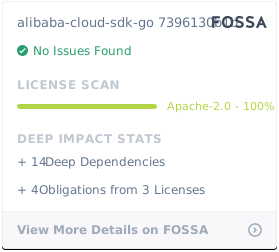](https://app.fossa.io/projects/git%2Bgithub.com%2Faliyun%2Falibaba-cloud-sdk-go?ref=badge_large)
## Prerequisites
- To use Alibaba Cloud Go SDK, you must have an Alibaba Cloud account as well as an AccessKey.
The AccessKey is required when initializing `AcsClient`. You can create an AccessKey in the Alibaba Cloud console. For more information, see [Create an AccessKey](https://usercenter.console.aliyun.com/?spm=5176.doc52740.2.3.QKZk8w#/manage/ak).
> **Note:** To increase the security of your account, we recommend that you use the AccessKey of the RAM user to access Alibaba Cloud services.
- To use Alibaba Cloud Go SDK to access the APIs of a product, you must first activate the product on the [Alibaba Cloud console](https://home.console.aliyun.com/?spm=5176.doc52740.2.4.QKZk8w) if required.
## Installation
Use `go get` to install SDK:
```sh
$ go get -u github.com/aliyun/alibaba-cloud-sdk-go/sdk
```
If you have used glide to manage dependence, you can also use glide to install Alibaba Cloud Go SDK:
```powershell
glide get github.com/aliyun/alibaba-cloud-sdk-go
```
## Using
The following code example shows the three main steps to use Alibaba Cloud Go SDK:
1. Create the client.
2. Create an API request and set parameters.
3. Initiate the request and handle exceptions.
```go
package main
import (
"fmt"
"github.com/aliyun/alibaba-cloud-sdk-go/sdk/requests"
"github.com/aliyun/alibaba-cloud-sdk-go/services/ecs"
)
func main() {
// Create an ECS client
ecsClient, err := ecs.NewClientWithAccessKey(
"", // Your Region ID
"", // Your AccessKey ID
"") // Your AccessKey Secret
if err != nil {
// Handle exceptions
panic(err)
}
// Create an API request and set parameters
request := ecs.CreateDescribeInstancesRequest()
// Set the request.PageSize to "10"
request.PageSize = requests.NewInteger(10)
// Initiate the request and handle exceptions
response, err := ecsClient.DescribeInstances(request)
if err != nil {
// Handle exceptions
panic(err)
}
fmt.Println(response)
}
```
When you create an instance of client, you need to fill out three parameters: `Region ID`、`Access Key ID` and `Access Key Secret`. You can get `Access Key ID` and `Access Key Secret` from console, and get `Region ID` from [region list](https://help.aliyun.com/document_detail/40654.html?spm=5176.doc52740.2.8.FogWrd)
## Keepalive
Alibaba Cloud Go SDK uses primordial `net/http` of Go language to send and accept requests,so it's configuration is the same as `net/http`'s,you can use config to deliver configuration to the bottomed httpClient.
```go
httpTransport := http.Transport{
// set http client options
}
config := sdk.NewConfig()
.WithHttpTransport(&httpTransport)
.WithTimeout(timeout)
ecsClient, err := ecs.NewClientWithOptions(config)
```
## Concurrent Request
* Due to the concurrency nature of the Go language, we recommend that you control the concurrent requests for the SDK at the application level.
* In order to facilitate your use, we also provide a direct use of concurrent invocation mode, the relevant concurrency control by the SDK internal implementation.
### Open SDK Client's concurrent function.
```go
// Maximum Running Vusers
poolSize := 2
// The maximum number of requests that can be cached
maxTaskQueueSize := 5
// Enable asynchronous functionality at creation time
config := sdk.NewConfig()
.WithEnableAsync(true)
.WithGoRoutinePoolSize(poolSize) // Optional,default:5
.WithMaxTaskQueueSize(maxTaskQueueSize) // Optional,default:1000
ecsClient, err := ecs.NewClientWithOptions(config)
// It can also be opened after client is initialized
client.EnableAsync(poolSize, maxTaskQueueSize)
```
##### Make an asynchronous call
Alibaba Cloud Go SDK supports asynchronous calls in two ways:
1. Using channel as return values
```go
responseChannel, errChannel := client.FooWithChan(request)
// this will block
response := <-responseChannel
err = <-errChannel
```
2. Use callback to control the callback
```go
blocker := client.FooWithCallback(request, func(response *FooResponse, err error) {
// handle the response and err
})
// blocker which is type of (chan int),is used to control synchronization,when returning 1 means success,and returning 0 means failure.
// When <-blocker returns failure,err also will be handled by afferent callback.
result := <-blocker
```
## Generalize the call interface(CommonAPI)
### What is CommonAPI
CommonAPI which is launched by Alibaba Cloud Go SDK,is an universal grid way to call API. CommonAPI has the following characteristics: :
1. Lightweight: only the Core package is required to initiate the call, without the need to download and install the SDK of each product line.
2. Easy: call the newly released API without updating the SDK.
3. Iterating fast
### Start to use
CommonAPI needs to be used in conjunction with the corresponding API documentation to query information about the API.
You can query the API documentation for all products at[Document Center](https://help.aliyun.com/?spm=5176.8142029.388261.173.23896dfaav2hEF).
Launching a CommonAPI request requires you to query the following parameters:
* Domain name: the generic domain name for the product, which can be viewed in the "call mode" page.
* API version: the version number of the API, in the form of 'yyyy-mm-dd', which can be found in the "public parameters" page.
* Interface name (apiName) : the name of the API
We take ECS [DescribeInstanceStatus API](https://help.aliyun.com/document_detail/25505.html?spm=5176.doc25506.6.820.VbHnW6) as an example.
```go
package main
import (
"fmt"
"os"
"github.com/aliyun/alibaba-cloud-sdk-go/sdk"
"github.com/aliyun/alibaba-cloud-sdk-go/sdk/requests"
)
func main() {
client, err := sdk.NewClientWithAccessKey("cn-hangzhou", os.Getenv("ACCESS_KEY_ID"), os.Getenv("ACCESS_KEY_SECRET"))
if err != nil {
panic(err)
}
request := requests.NewCommonRequest()
request.Domain = "ecs.aliyuncs.com"
request.Version = "2014-05-26"
request.ApiName = "DescribeInstanceStatus"
request.QueryParams["PageNumber"] = "1"
request.QueryParams["PageSize"] = "30"
response, err := client.ProcessCommonRequest(request)
if err != nil {
panic(err)
}
fmt.Print(response.GetHttpContentString())
}
```
## License
[](https://app.fossa.io/projects/git%2Bgithub.com%2Faliyun%2Falibaba-cloud-sdk-go?ref=badge_large)